
ZOIPER VOIP CLIENT SMARTPHONE APPLICATION
You will need to install the app called “Zoiper IAX SIP VOIP Softphone” on your Smart phone, select the option as below. Once done open it on your phone.
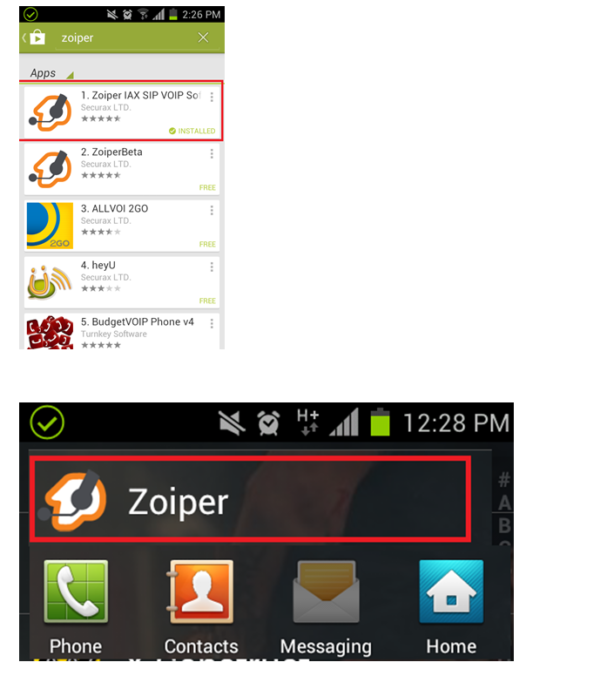
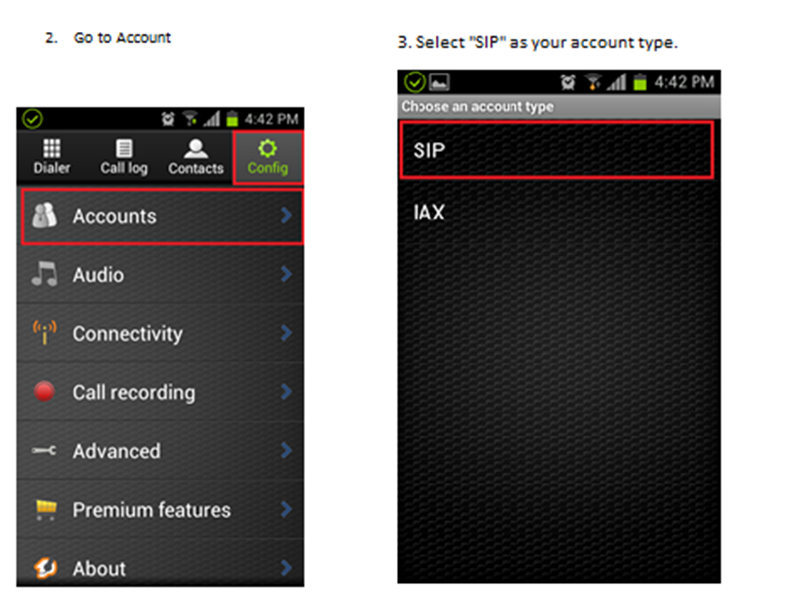
You will need to install the app called “Zoiper IAX SIP VOIP Softphone” on your Smart phone, select the option as below. Once done open it on your phone.
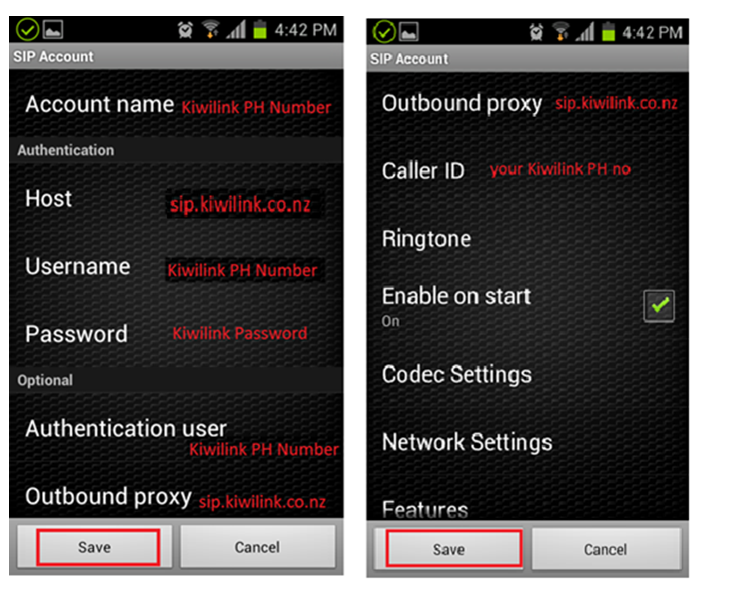
That’s it, you’re Done. All set-up and ready to go.
Note:
If you are using this phone number on multiple devices (eg, you have configured the number at home and now wish to configure it on your smartphone) the second device that is registering with this phone number needs to have -1 after the number. The third device a -2, fourth -3, fifth -4 and sixth -5. For example phone number will be 0912345789-1 for the second device.
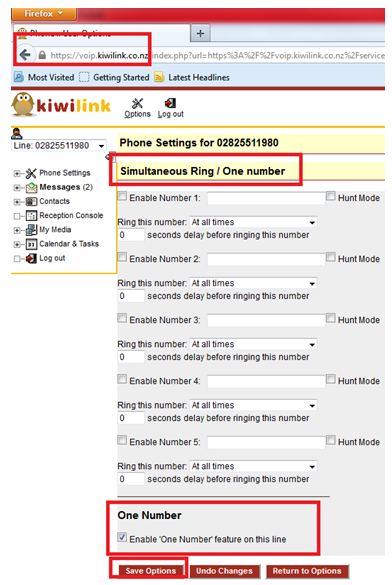
- You will also need to go into the VoIP portal via:
- voip.kiwiinternet.co.nz
- Username: your phone number
- Password: your password
- Under Inbound calls, select: Simultaneous Ring / One number
Under One number option you will need to tick the box that says “Enable ‘One Number’ feature on this line”
Once done, click save options.
If you are still having issues, please e-mail us through our contact form
Thank you
BUNDLE PLAN TERMS AND CONDITIONS: Price exclusive of GST. No term contracts, 30-day notice period applies Set up costs may apply depending on type of internet available. Hardware not included. View more…