
CHATBIT WIRELESS HEADSET
HOW TO SETUP A JABRA WIRELESS HEADSET
Power up ChatBit Docking Station (the square unit)
Place the headset on the Docking Station.
You will see the red light on the headset when you place it properly.
Bluetooth Pairing
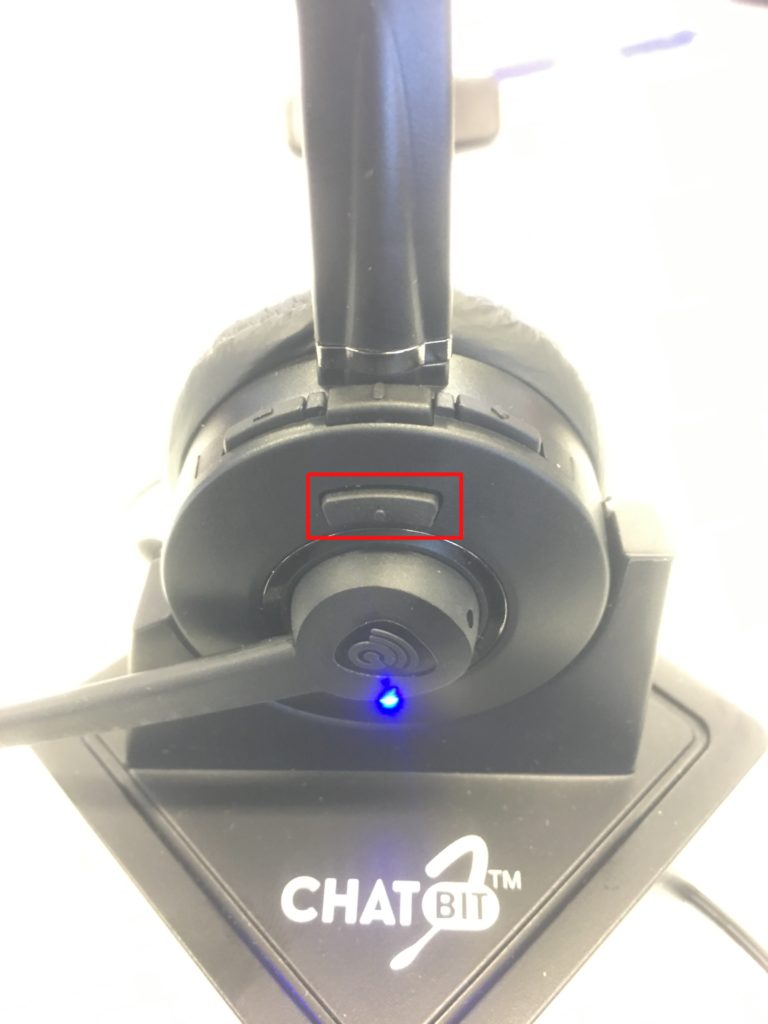
Pick up the headset, press the button right above the mic (in the red square) as per snapshot below.
Search Bluetooth on your phone > Start Scan > look for Cb9BT > Press pairing > if it ask for the pin, enter 0000 > Connect.
Adjust the volume as you require. Volume button will be above bluetooth pairing button.
When making/ answering calls, press answer button first and then pick up the headset from docking station.
BUNDLE PLAN TERMS AND CONDITIONS: Price exclusive of GST. No term contracts, 30-day notice period applies Set up costs may apply depending on type of internet available. Hardware not included. View more…