
PANASONIC KX-HDV230
SETUP PANASONIC KX-HDV230
First upgrade the firmware:
Firmware Version
Bank 1: 01.032
Bank 2: 01.017
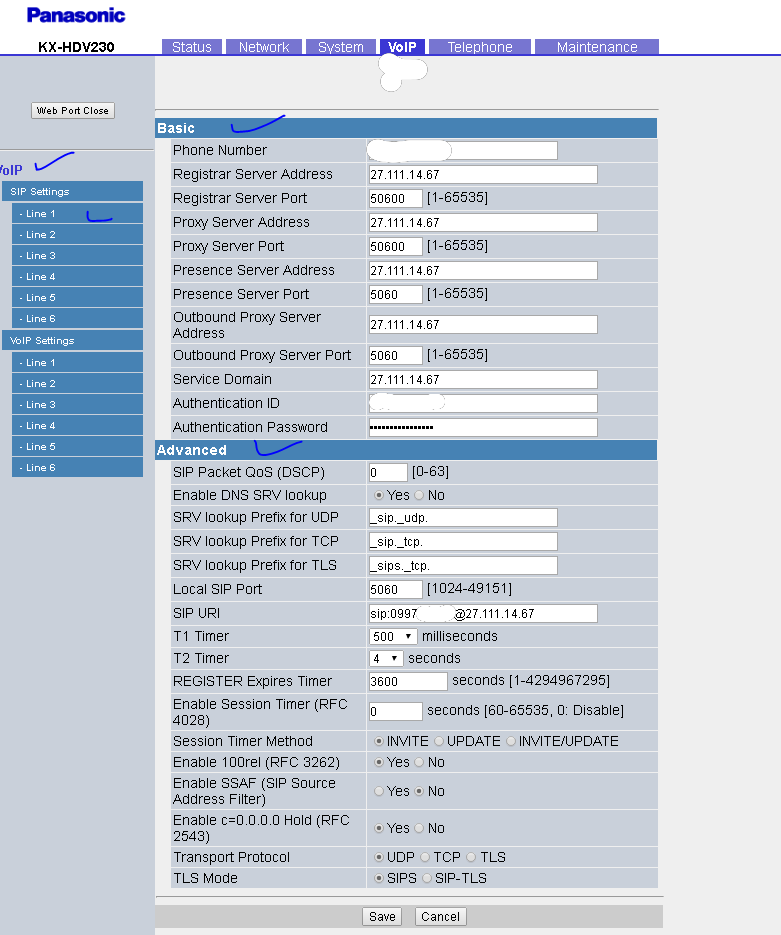
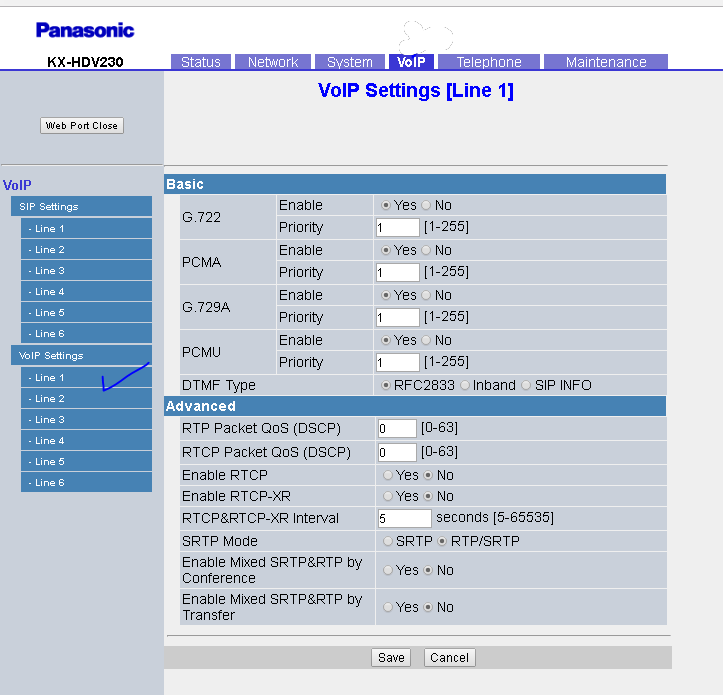
Under VOIP tab, Go to SIP Settings > Line 1 and enter the details as per below.
Phone number and Authentication ID should be your numbers.
SIP URL should be sip:yournumber@27.111.14.67
BUNDLE PLAN TERMS AND CONDITIONS: Price exclusive of GST. No term contracts, 30-day notice period applies Set up costs may apply depending on type of internet available. Hardware not included. View more…